

Live TV
Scheduled channels arranged by category, with an electronic program guide wherever the player app and the source provide one.
What a subscription covers, how the library is organized in your player, and why we ask you to check with us before you order.
The honest version
Plenty of IPTV websites open with a five-figure number of channels. We do not, for a simple reason: a channel list changes, and a number published today would be wrong within weeks.
What we can tell you is how the content is arranged and what kinds of programming are covered — and then, when you ask, exactly what is carried in the package you are considering, at the moment you are considering it. That is a more useful answer than a headline figure, and it is one we can stand behind.
Before you order, send us the two or three channels that would decide it for you. We will tell you whether they are in the package rather than leaving you to find out afterwards.
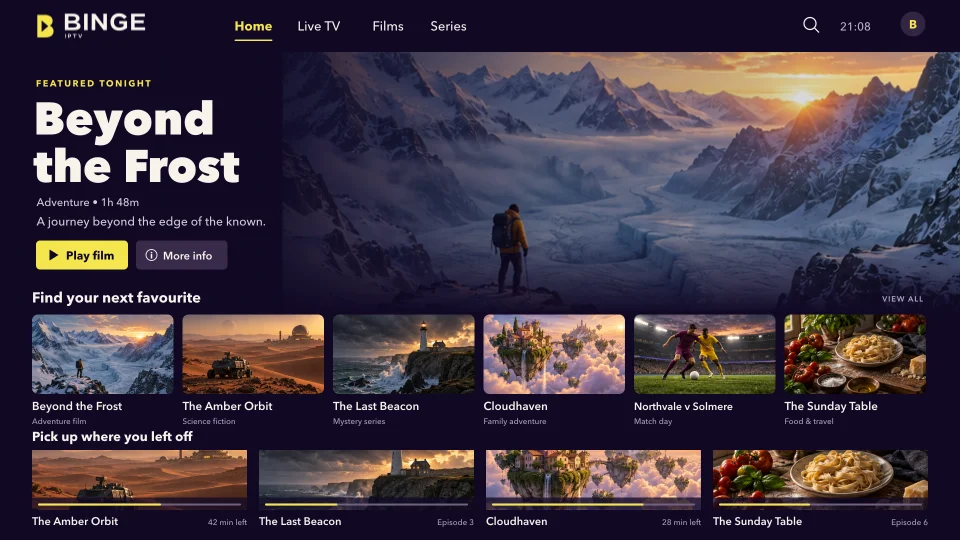
Categories
Your player app sorts everything into sections like these, so you are browsing a handful of categories rather than scrolling one long list.
Scheduled channels arranged by category, with an electronic program guide wherever the player app and the source provide one.

An on-demand film library you browse by genre and start whenever you like, rather than waiting for a broadcast slot.

Episodes grouped by season so you can pick up where you stopped, which is what most players resume automatically.

Live sports channels carried in the package you subscribe to. Which events appear depends on what is scheduled and on your plan.

Rolling news and current-affairs channels, including international feeds, grouped together so they are quick to find.

Factual programming, cooking, travel and nature, for the evenings when nothing scheduled appeals.
In your player
Live channels run to a schedule, exactly as they would on an aerial or a dish. Your player groups them by category and, where an electronic program guide is available, shows you what is on now and what is coming next. Switching channels takes a second or two while the new stream starts — that pause is normal and is not a fault.
The on-demand part of the library works like any streaming app: you browse, you press play, and most players remember where you stopped. Series are grouped by season, so picking an episode back up is straightforward.
Live sport is carried on the channels in your package. Which fixtures appear depends on what those channels are scheduled to show, which is outside our control and changes week to week. If a particular competition matters to you, ask us before you subscribe.
Every piece of cover art, every program title and every on-screen interface shown on this website was created for it. They illustrate how the service is laid out. They are not screenshots of the service, and they do not depict any real program, film, team or channel.
Browse the subscription options, or message the team and tell us what you want to watch on. We will help you pick a plan and get the device set up.